A house alarm is meant to protect your home, but when it goes off at the wrong time, it can quickly become stressful. The loud sound, flashing lights, and sudden confusion can make it hard to think clearly.
how to stop a house alarm
In many cases, an house alarm goes off by mistake due to a low battery, an open door, an incorrect code, or a sensor issue. The good news is that most alarms can be stopped without damage if you follow the right steps. How a House Alarm Works
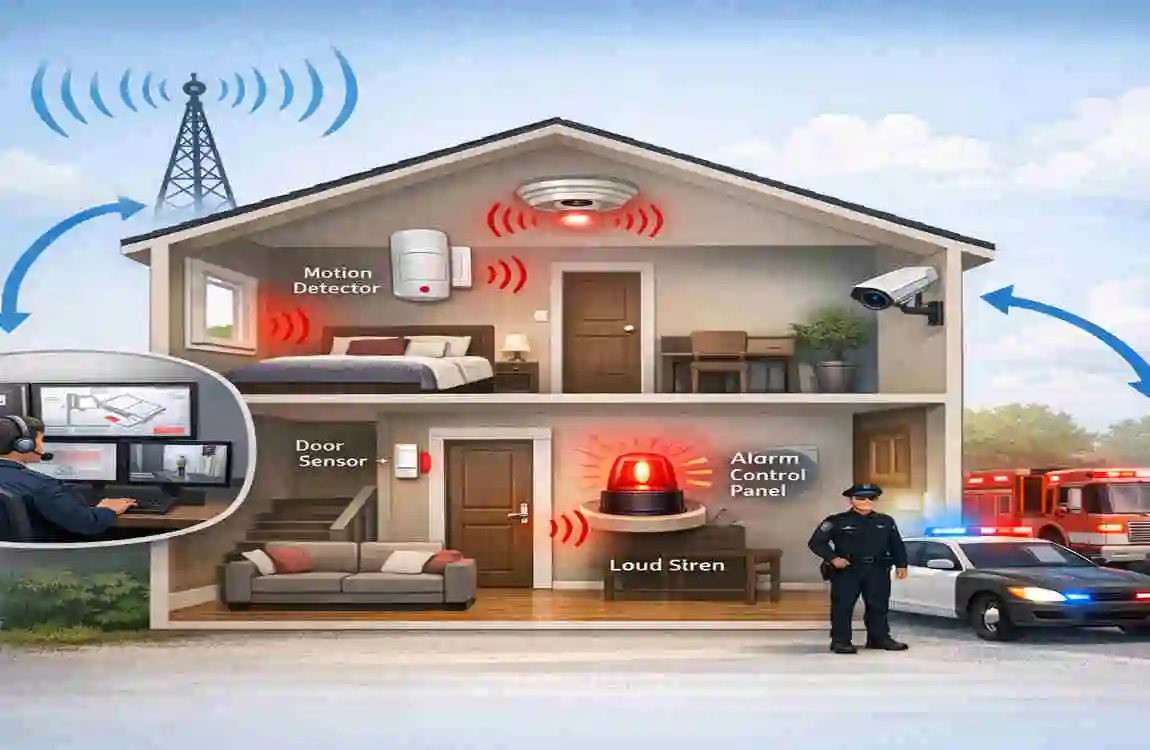
A house alarm usually has three main parts:
- Control panel – the main unit that manages the system
- Sensors – placed on doors, windows, or in rooms
- Siren – the loud sound that alerts you to danger
When one of the sensors detects something unusual, the system sends a signal to the control panel. The alarm then sounds to warn you and scare away intruders.
Some alarms are wired, while others are wireless. Wireless systems often use batteries, while wired systems depend more on your home power. Knowing which type you have makes it easier to stop the alarm safely.
Common Reasons an Alarm Goes Off
False alarms happen more often than most people expect. Some common reasons include:
- Incorrect security code
- Low battery in the sensor or panel
- Power outage
- Motion sensor reacting to pets
- A door or window not fully closed
- System fault or error
If your alarm keeps going off, try to find the cause before doing anything else. This can save time and prevent the problem from happening again.
How to Stop a House Alarm Safely
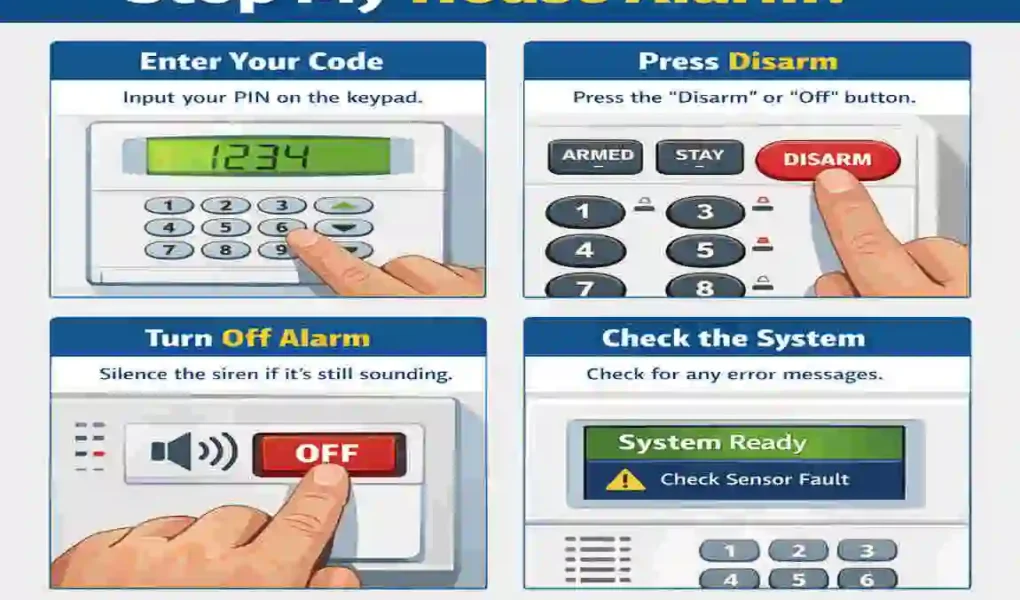
Enter the Correct security Code
The fastest and safest way to stop most house alarms is to enter the correct code on the keypad. Once the code is accepted, the system should disarm, and the siren should stop.
If you forgot the code, check your user manual or contact the alarm company. Do not keep entering random codes, because some systems may lock after too many wrong attempts.
Use the Key Fob or Remote
Many modern alarms come with a remote or key fob. This small device often has a disarm button that stops the alarm right away.
This is useful if you are near the door or if you need a quick way to shut the system off during a false alarm.
Use the Control Panel Reset Option
Some home alarms do not stop fully until they are reset. After entering the code, check the display screen for any messages such as reset, clear, or fault.
If your alarm still shows an error, follow the instructions on the panel. Different brands work differently, but the basic idea is the same: clear the alert, then disarm the system.
Disconnect Power Only If Needed
If nothing else works, you may need to turn off the power supply. This should be the last step.
First, unplug the main unit if it is safe to do so. Then check whether the system has a backup battery. If it does, remove it carefully only if you know how your system is built.
Be careful here. Cutting power without understanding the system can create more problems or trigger another alert.
What NOT to Do
When trying to stop a house alarm, avoid these mistakes:
- Do not cut wires
- Do not force open the control panel
- Do not ignore repeated false alarms
- Do not leave the system permanently bypassed
- Do not unplug everything unless you understand the backup battery
These actions can damage the alarm or leave your home less secure.
How to Prevent False Alarms
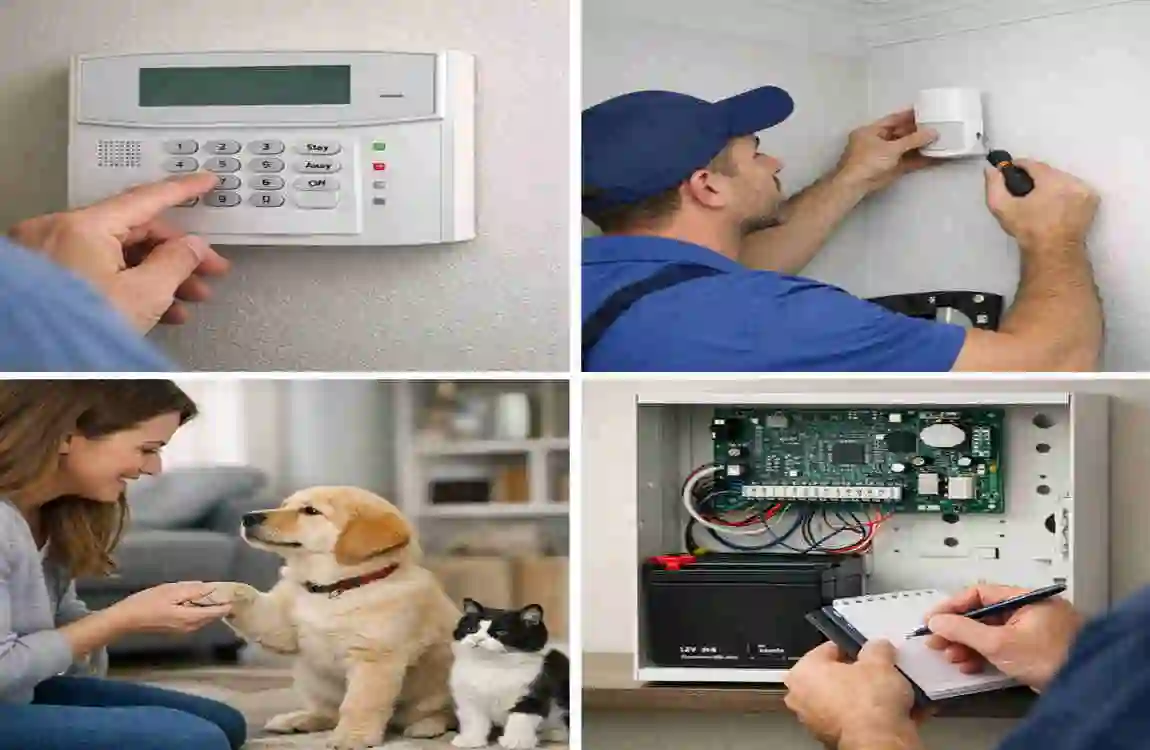
A few simple habits can reduce future problems:
- Replace batteries on time
- Make sure doors and windows close properly
- Keep pets away from sensitive motion sensors
- Test the alarm regularly
- Check the system for error messages
A little maintenance goes a long way. It helps your alarm work better and reduces stress for everyone in the home.
FAQ
What is the fastest way to stop a house alarm?
The fastest way is usually to enter your security code or use the alarm remote.
Why does my house alarm keep going off?
Common reasons include low batteries, open doors or windows, sensor problems, or a wrong code.
Can I stop my alarm without a code?
Some systems allow a reset or remote disarm, but many still need a code or app access.
Is it safe to unplug a house alarm?
Only if you understand the system and also handle the backup battery safely.
Who should I call if I cannot stop it?
Call your alarm company or a security technician for help.
| Method | How to Do It Safely | When to Use |
|---|---|---|
| Enter disarm code | Type your master PIN on the keypad, then press “Disarm” or “Off” | Normal situation; you have your code |
| Use touchscreen | Wake the screen, enter code (or use fingerprint/face ID), select “Disarm” from menu | Touchscreen security system |
| Use security app | Open app → log in → find “Disarm” or “System Control” → confirm | Smart/alarm system with mobile app |
| Contact monitoring service | Call your monitoring company before disarming so they don’t send help | You plan to leave system off for a while |
| Cut main power | Unplug from wall or switch off circuit breaker for wired systems | Code doesn’t work; emergency |
| Remove backup battery | Open main panel, disconnect red/black battery terminals or remove battery | Alarm still sounding after power cut |
| Remove fuse | Locate fuse spur near panel, pop cover, remove fuse | Power-related fault; siren won’t stop |
| Use access badge | Place access badge in reader to deactivate without code | System supports badge disarm |